Apex Proof · early access

Website feedback that arrives ready to fix.

Your clients click the problem on the page. You get the screenshot, the exact element, their browser, and the console errors behind it, without a single "which page was that?" email.

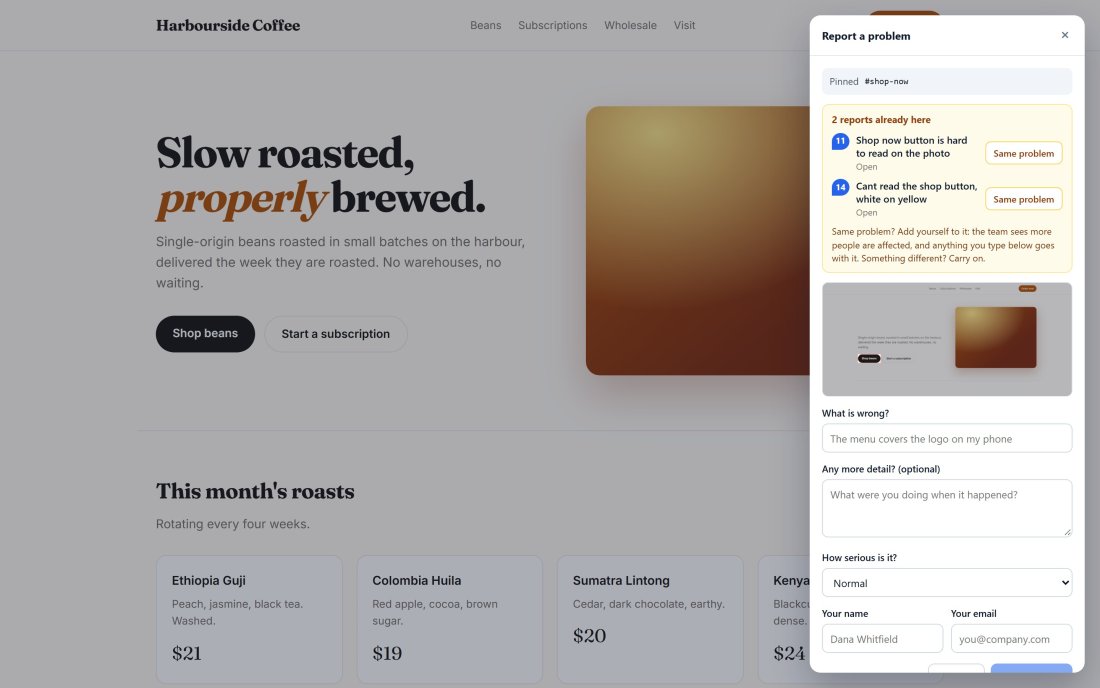
A client’s website with the Apex Proof report panel open: before filing, it shows the two reports already on this button, each with a Same problem button.
How it works

One script tag. Three steps.

1. Add it to the site

Paste one line into the staging site. Send your client a review link and there is nothing for them to install or sign up for.

2. Clients point at the problem

They click Feedback, click the broken thing, and type what is wrong. The screenshot and technical details are captured for them.

3. You fix it

Every report lands on one board with everything a developer needs. Triage from the keyboard and close the loop.
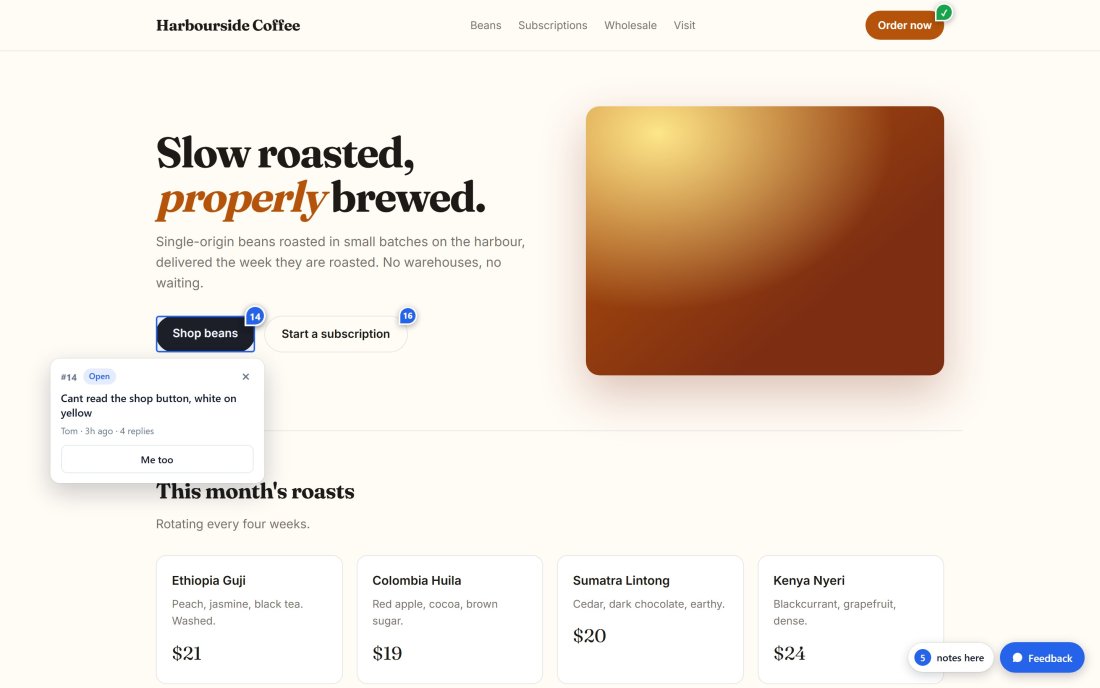
A client site with a numbered pin on the Shop beans button and an open card showing the existing report.
Feedback on the page

See what has already been reported, right where it is.

Anyone opening the site through your review link sees numbered pins on the elements that already have feedback. Clicking one shows the report, so ten people do not report the same button ten times.

  • Pins follow the element, not a pixel position
  • Visible only to people with your review link
  • Resolved issues show as a green check
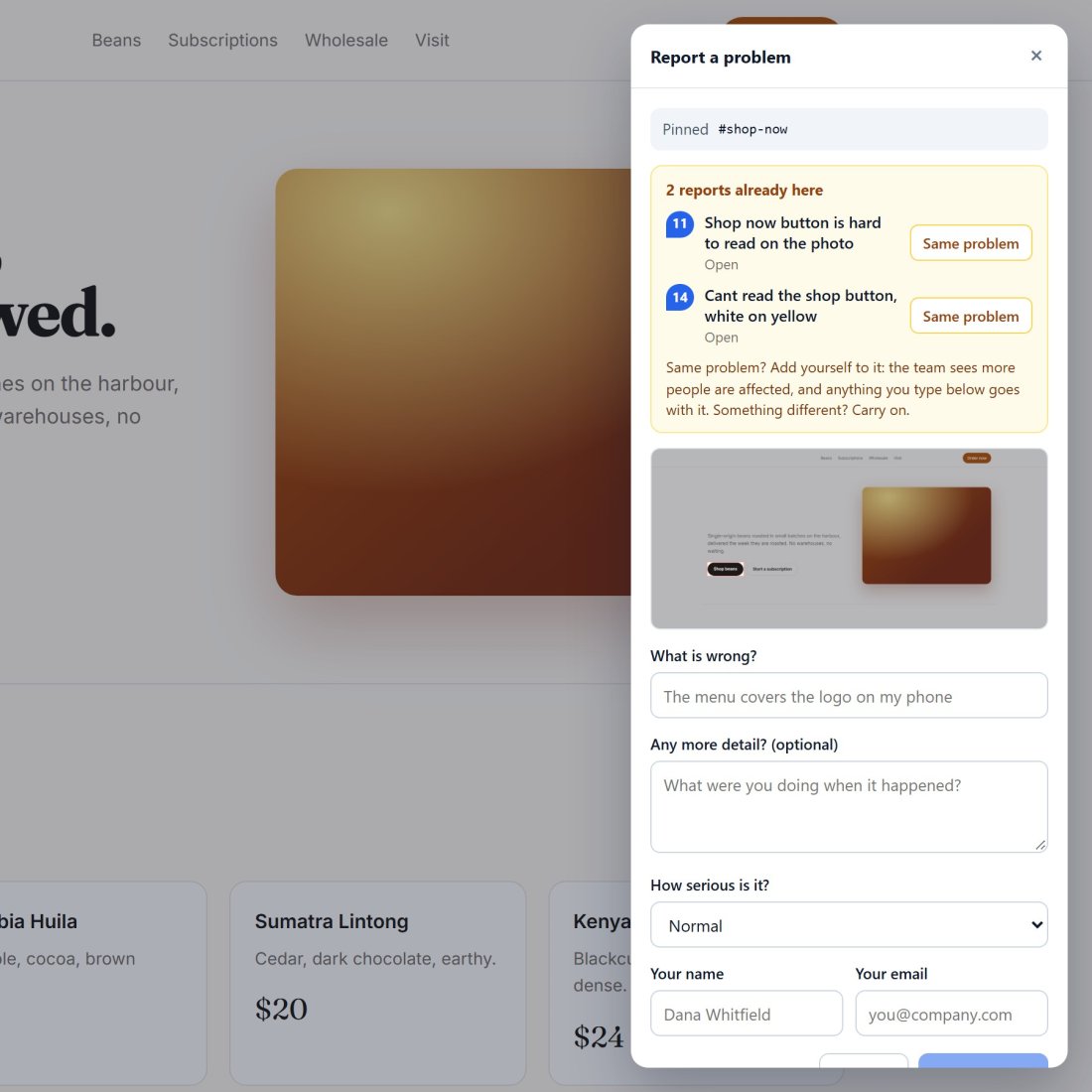
Close-up of the report panel: two reports already on this element, each with a Same problem button.
No more duplicates

“Is this the same problem?” asked before it is filed.

When a reviewer picks an element that already has reports, Apex Proof shows them first. One click on Same problem adds them to the existing issue, with their browser and device, instead of opening a new one.

  • The team sees how many people are affected
  • A second report from another device is kept, not lost
  • Duplicates that slip through can be merged, and unmerged, on the dashboard
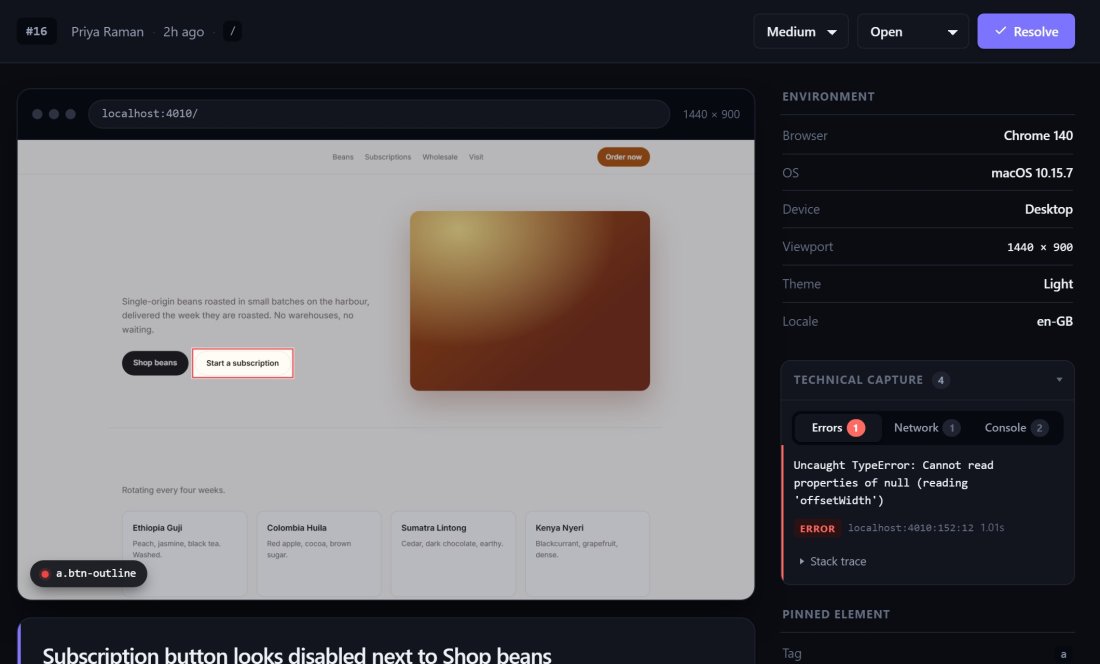
A report with its screenshot beside the technical capture panel, showing an uncaught TypeError with its source line.
For the developer

The details your client would never think to send.

Every report carries the browser, operating system, viewport and the exact element that was clicked. Apex Proof also keeps the page’s recent console messages, JavaScript errors and failed network requests, so you can often see the bug before you open the site.

  • Console messages, JavaScript errors and failed requests
  • Browser, OS, device, viewport, theme and locale
  • The pinned element’s selector and text
Made for agencies

Built for the way client reviews actually go.

Review links

Send a link, not instructions. It opens the site with pins turned on, and you can revoke it at any time.

Unlimited reviewers

Clients report with just a name and email. No accounts, no seats to buy for their whole marketing team.

Keyboard triage

J and K to move, E to resolve, 1 to 4 to set status. Clear a round of feedback without reaching for the mouse.

Light on the page

About 19 KB to load. The screenshot tools load only when someone starts a report.

Never breaks the site

The widget runs in its own sealed box. It cannot restyle your pages, and if it fails, it fails quietly.

Hosted in Canada

The app and its database run on our own server in Quebec, by a small studio you can email directly.
Pricing

Join early. Keep the early price.

Founding members lock in their price for as long as they keep their account. It never goes up on you.

Standard

Later

Set when early access closes. Founding members are not affected.

  • Every feature
  • Unlimited client reviewers
  • Unlimited review links
Join as a founder instead
Questions

Before you ask

Do my clients need an account?

No. They type their name and email the first time they report something, and that is it. Only your own team signs in.

Will it slow down or break the site?

The part that loads with the page is about 19 KB. It runs in a sealed box that cannot touch your styles, and every entry point is guarded so a failure inside it never reaches your page.

Can the public see the pins?

Not by default. Pins show only to people who opened the site through one of your review links. You can turn pins off or, for a private staging site, show them to everyone.

What does “locked in” mean for founding members?

The monthly price you join at is the price you pay for as long as your account stays open, even when the standard price is set higher.

Where is my data stored?

The app and database run on our server in Canada. See the privacy page for what is collected and why.

Is this for live sites or staging?

It is built for front-end QA on development and staging sites, where you want clients to review before launch. It works on live sites too.

Early access

Get Apex Proof before everyone else.

We are letting agencies in a few at a time so each one gets proper attention. Tell us a little about your work and we will be in touch.